Laundromat Visual Order Board Setup: 2026 Guide
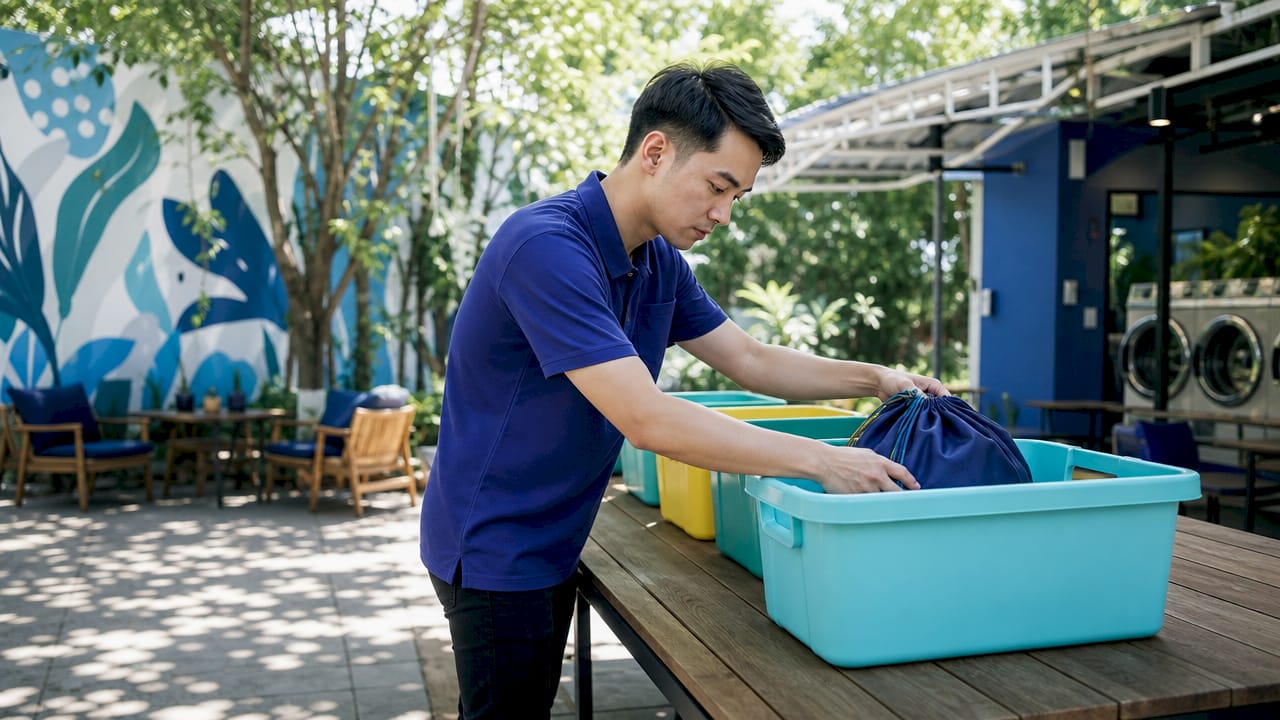
A laundromat visual order board setup is a system that organizes and tracks laundry orders using coordinated digital displays and physical staging areas to reduce errors and speed up fulfillment. The industry standard term for this method is visual workflow management, borrowed from Kanban principles used in manufacturing and adapted for laundry service operations. Transitioning to a digital system cuts order processing time by 90%, dropping from 5 minutes to 30 seconds per order, and reduces inbound customer inquiry calls by 40–60%. That single efficiency gain pays for most software implementations within weeks. The most effective setups combine digital order tracking with physical staging areas that mirror every status on screen.
What are the essential components of a laundromat visual order board setup?
A working visual order board requires three things to function: a physical staging system, a digital tracking interface, and documented procedures that connect the two. Missing any one of them causes the whole system to break down. Physical staging areas aligned with digital order categories are the critical foundation. Without dedicated bins or shelves that match your digital status stages, even the best software produces lost orders.
Physical components
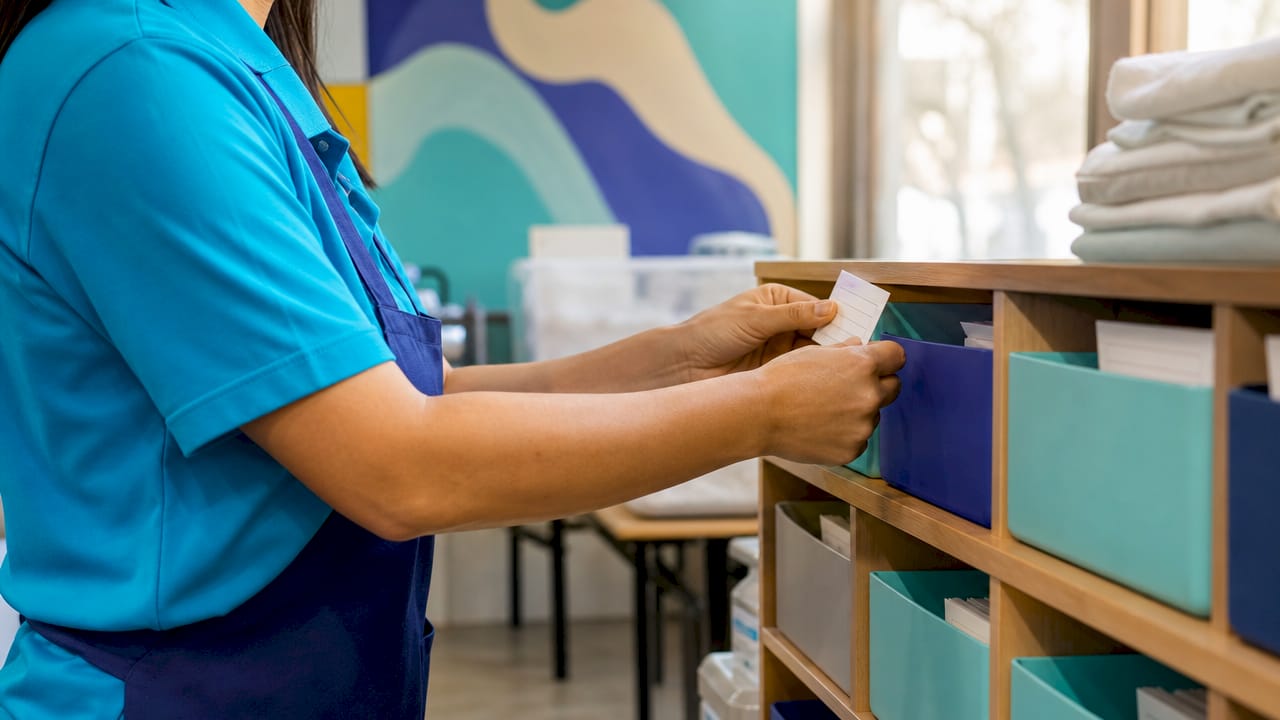
Every staging area needs a labeled bin or shelf that corresponds directly to a digital status. The standard categories for most laundromats are: Received, In Wash, Drying, Folded, and Ready for Pickup. Color-coded bins accelerate identification and reduce misplacement. Shelf risers that place frequently handled orders at eye level cut retrieval time on busy shifts.
The physical layout must match the digital board one-to-one. This concept is called bin-to-screen parity: every physical bin has an exact digital counterpart, and no order moves without both being updated simultaneously.
Digital components
The digital side of the system needs four core elements:
- Order IDs: Unique identifiers printed on tags or receipts that link a physical bag to a digital record.
- Status tracking interface: A board, app, or POS screen showing every active order and its current stage.
- Color-coded indicators: Color codes like green, blue, and red signal machine availability (green = available, blue = in use, red = out of order) and integrate directly with order flow.
- Special request flags: Visual markers for orders with customer notes such as fragrance-free detergent or cold-water wash.
Staff roles and SOPs
Documented standard operating procedures are not optional. Gallup research shows managers influence up to 70% of team engagement variance. That means your SOPs directly shape whether attendants update the board consistently or skip steps under pressure. Every staff member needs a defined role: who enters orders, who moves them through stages, and who marks them ready for pickup.
Pro Tip: Laminate a one-page SOP at each staging station. Attendants who can glance at the procedure without opening a manual update the board far more consistently during peak hours.
How to set up a laundromat order board system step by step
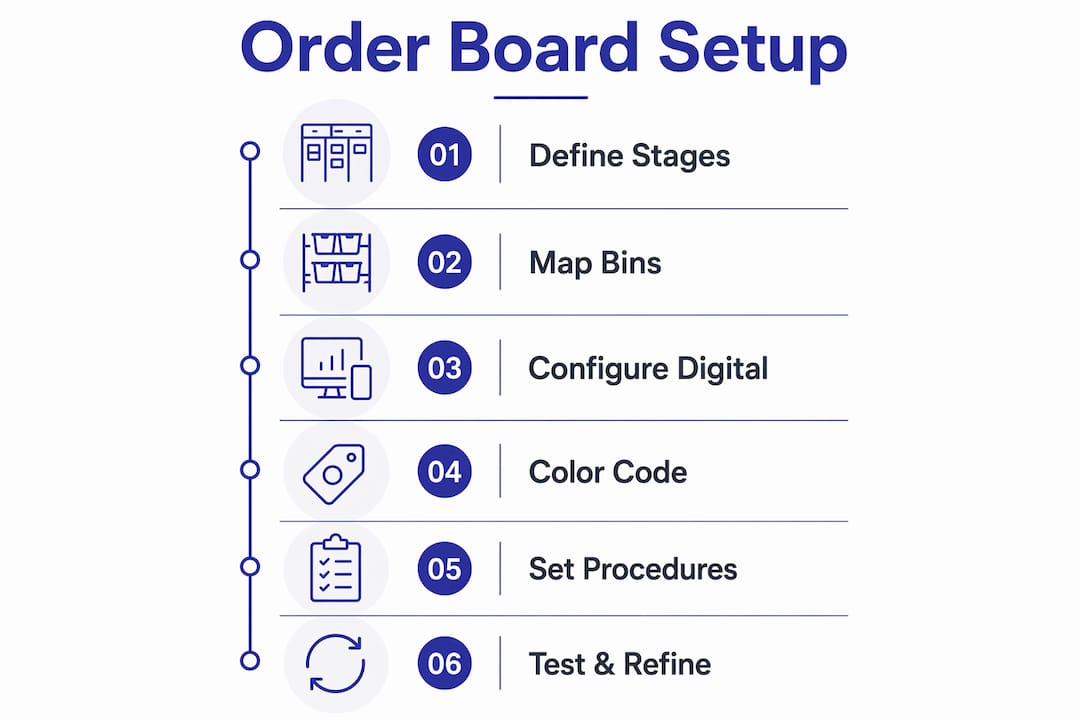
Step 1: Define your order stages
Start with the stages that reflect your actual workflow. A standard set is: Received, In Wash, Drying, Folded, and Ready for Pickup. Add a Dry Cleaning stage if you offer that service. Keep the total number of stages at six or fewer. More stages create confusion and slow down updates.
Step 2: Map physical staging areas
Walk your floor and assign a physical location to each stage. Label every bin, shelf, or cart with the stage name and a color that matches your digital board. The physical layout should follow the natural movement of orders through your shop, from intake counter to pickup window.
Step 3: Configure your digital board
Choose a digital tool that supports drag-and-drop order movement between stages. Kansoflow’s visual Kanban board lets attendants move orders through Wash, Fold, Dry Cleaning, and Ready stages with a single tap on an iOS device. Configure the board columns to match your physical staging areas exactly. This is the step most operators rush, and it is where bin-to-screen parity either gets built correctly or breaks down later.
Step 4: Integrate color coding and task indicators
Assign a color to each stage and apply it consistently across both the digital board and the physical bins. Add task indicators for machine maintenance events like “clean drum” or “restock detergent” directly within the order tracking interface. Embedding task indicators into the same screen as order tracking reduces staff app switching and increases adoption during busy shifts.
Step 5: Establish order entry and update procedures
Write a clear procedure for every transition point. Who scans the order ID at intake? Who moves the card from In Wash to Drying? Who marks the order Ready and notifies the customer? Assign each action to a specific role, not just “whoever is available.” Ambiguous ownership is the leading cause of boards falling out of sync with physical reality.
Step 6: Run a test cycle and refine
Process 10–20 real orders through the new system before going live with your full volume. Watch for the points where attendants hesitate or skip steps. Those hesitation points reveal either a training gap or a design flaw in the board layout. Fix the design first. Training on a flawed system produces consistent errors, not consistent performance.
Pro Tip: Time your test cycle orders from intake to pickup notification. If any stage takes more than twice the expected time, the physical bin for that stage is likely in the wrong location.
What are common challenges when implementing visual order boards?
The digital-physical mismatch problem
The most common failure mode is a board that looks accurate on screen but does not reflect where orders physically are. Simply replacing a whiteboard with a digital screen without defined handoff zones produces lost and misplaced orders. The fix is enforcing bin-to-screen parity as a non-negotiable rule: no physical move without a digital update, and no digital update without a physical move.
Space constraints
Many laundromats lack the floor space for five distinct staging areas. The practical solution is vertical storage. Shelf risers and wall-mounted bins create staging zones without consuming floor space. Color coding becomes even more critical in tight layouts because attendants rely on visual cues rather than physical separation to identify order stages.
Inconsistent board updates
Attendants skip board updates most often during peak hours, when the pressure to process orders fast overrides the habit of updating the screen. Three practices reduce this:
- Assign update ownership: One person per shift is responsible for board accuracy, not the whole team collectively.
- Use order ID scanning: Scanning a tag to trigger a status change is faster than manual entry and creates a timestamp record.
- Conduct end-of-shift audits: A 5-minute board reconciliation at shift change catches errors before they compound overnight.
“Digital order boards act as the primary check for quality and order status monitoring, enabling accountability without requiring physical presence on the shop floor.” — Laundromat Resource
App fatigue
Operators who run separate apps for order tracking, task management, and customer notifications create a fragmented experience for attendants. Staff who must switch between three apps during a busy shift make more errors and update boards less frequently. The solution is consolidation: use a single platform that handles order status, staff tasks, and customer alerts from one screen.
How does laundry order tracking improve staff performance?
A well-configured order tracking system does more than show order status. It functions as a real-time accountability tool for every person on the floor.
Digital boards enable remote oversight of wash-dry-fold services without requiring the owner to be physically present. An operator managing multiple locations can check order status, identify bottlenecks, and verify that no orders have stalled, all from a phone. That visibility changes how staff behave. Attendants who know the board is monitored remotely update it more consistently than those who assume no one is watching.
Documented SOPs embedded in the system serve as a knowledge repository. When a new attendant joins, the board itself teaches the workflow. The stages, color codes, and task indicators communicate the process without a manager standing next to the new hire for hours.
Pro Tip: Review your board data weekly. Orders that consistently stall in the same stage point to either a staffing gap, a machine problem, or a physical layout issue. The board data tells you which one it is.
Clear visual workflows also reduce staff stress. Attendants who can see the full order queue at a glance make better decisions about which task to prioritize. That clarity cuts the errors that come from guessing what needs to happen next.
Key Takeaways
A laundromat visual order board setup works only when the digital tracking system and the physical staging areas are built to mirror each other exactly.
| Point | Details |
|---|---|
| Bin-to-screen parity | Every physical bin must have a matching digital stage; no order moves without updating both. |
| SOPs drive consistency | Documented procedures reduce update errors and cut training time for new attendants. |
| Consolidate your tools | Embedding task indicators in the order board reduces app switching and staff errors. |
| Test before full launch | Run 10–20 real orders through the system and fix design flaws before scaling to full volume. |
| Remote monitoring adds accountability | Digital boards let owners verify order status and staff performance from any location. |
What I’ve learned from watching operators get this wrong
I’ve seen operators invest in good software and still end up with a broken system six weeks later. The pattern is almost always the same. They configure the digital board carefully, train the staff once, and then skip the physical layout work because it feels like a facilities problem rather than a technology problem. Three weeks in, the board is out of sync, orders are getting lost, and the attendants have stopped trusting the screen.
The physical staging setup is not a secondary task. It is the foundation. A digital board that does not have a corresponding bin for every stage is like a map without roads. The screen shows you where things should be, but there is nowhere for them to actually go.
The other mistake I see constantly is treating the SOP as a one-time document. Laundromat operations change. You add a new service, hire a new attendant, or rearrange the floor. Every one of those changes needs to be reflected in the SOP immediately, not eventually. The operators who treat documentation as a living system, not a setup task, are the ones whose boards stay accurate six months after launch.
Start with the simplest version of the board that covers your actual workflow. Resist the urge to add stages, color codes, and integrations all at once. Get the core system working reliably first. Complexity added to a broken foundation just produces more complex failures.
— Artur
Kansoflow’s approach to visual laundry order management
Kansoflow is built specifically for laundromat operators who need a fast, reliable order tracking system without the complexity of legacy platforms.
The platform’s visual Kanban board moves orders through Wash, Fold, Dry Cleaning, and Ready stages with a single tap on an iOS device. Photo intake at the counter creates a digital garment record that eliminates lost-item disputes before they start. Task indicators sit inside the same interface as order tracking, so attendants never need to switch apps during a busy shift. For operators managing more than one location, inter-branch transfer tracking and remote order monitoring are built in. See the full order tracking features or visit Kansoflow to learn how the platform fits your operation.
FAQ
What is a laundromat visual order board?
A laundromat visual order board is a system that tracks laundry orders through defined stages using coordinated digital displays and physical staging areas. The standard industry term for this method is visual workflow management.
How does a digital order board reduce processing time?
Digital order boards cut processing time from 5 minutes to 30 seconds per order and reduce customer inquiry calls by 40–60%. The speed gain comes from eliminating manual search and paper ticket lookups.
What is bin-to-screen parity?
Bin-to-screen parity means every physical staging bin has an exact matching stage on the digital board. Orders must be updated in both locations simultaneously to prevent mismatches and lost garments.
How many stages should a laundromat order board have?
Six or fewer stages covers most laundromat workflows: Received, In Wash, Drying, Folded, Ready for Pickup, and optionally Dry Cleaning. More stages slow down updates and increase the chance of errors.
How do visual order boards improve staff accountability?
Digital boards enable remote monitoring of order status without requiring the owner on the floor. Attendants who know the board is visible to management update it more consistently, which reduces errors and order delays.